
Does everything need transcoding?
- Dolby VisionProfiles 5, 7, 8.1 and 8.4
- Dolby AtmosStream-copied from E-AC-3, not re-encoded
- TrueHD and DTS-HD MAPlay free, bridged to surround or lossless FLAC
- Your playback chainDevice, display and audio equipment determine final output
No. Plozz plays a broad range of original files on the device. On iPhone and iPad, a lower quality limit can ask your server to convert instead. Server capabilities, permissions and settings still matter.
Can I use less data?
- Local networkMaximum by default
- Remote Wi-Fi / EthernetIts own default, initially Maximum
- Cellular720p / 2 Mbps by default
- Presets or CustomIndependent resolution ceiling and total bitrate in Kbps
- ConversionAutomatic, Prefer HEVC or Prefer H.264 where supported; advanced force conversion
- ScopeNot Apple TV, music, Live TV, downloads or network shares
On iPhone and iPad, movie and episode quality follows the connection. Saved defaults belong to your Plozz profile; changes in the player last for that video. The original plays when it fits. Otherwise, your server needs to convert it.
Can I change versions mid-film?
- PlaybackKeeps position, pause state and speed
- PreferencesKeeps the selected quality and matching audio/subtitle tracks
- Next timeYour profile remembers its version preference
- Audio choicesDetailed labels, such as Dolby Digital 5.1; controls appear for alternate tracks or Dialog Enhance
Choose another file or edition on Apple TV, iPhone or iPad. This stays on the active server/account, not a different server. Position carries over, but different cuts can put the same scene at different times.
What am I actually streaming?
- Current streamMeasured dimensions, codec, HDR and audio when available
- Original fileLabelled separately in diagnostics
- BitrateStream bitrate is separate from network throughput
- DiagnosticsTV overlay; a readable, scrolling sheet on iPhone and iPad
Info and Quality describe the current stream when its format is known, not the original file’s badges pasted onto a conversion. A selected limit is a target, not a measurement or a guarantee of HDR output.
Can I make the subtitles readable?
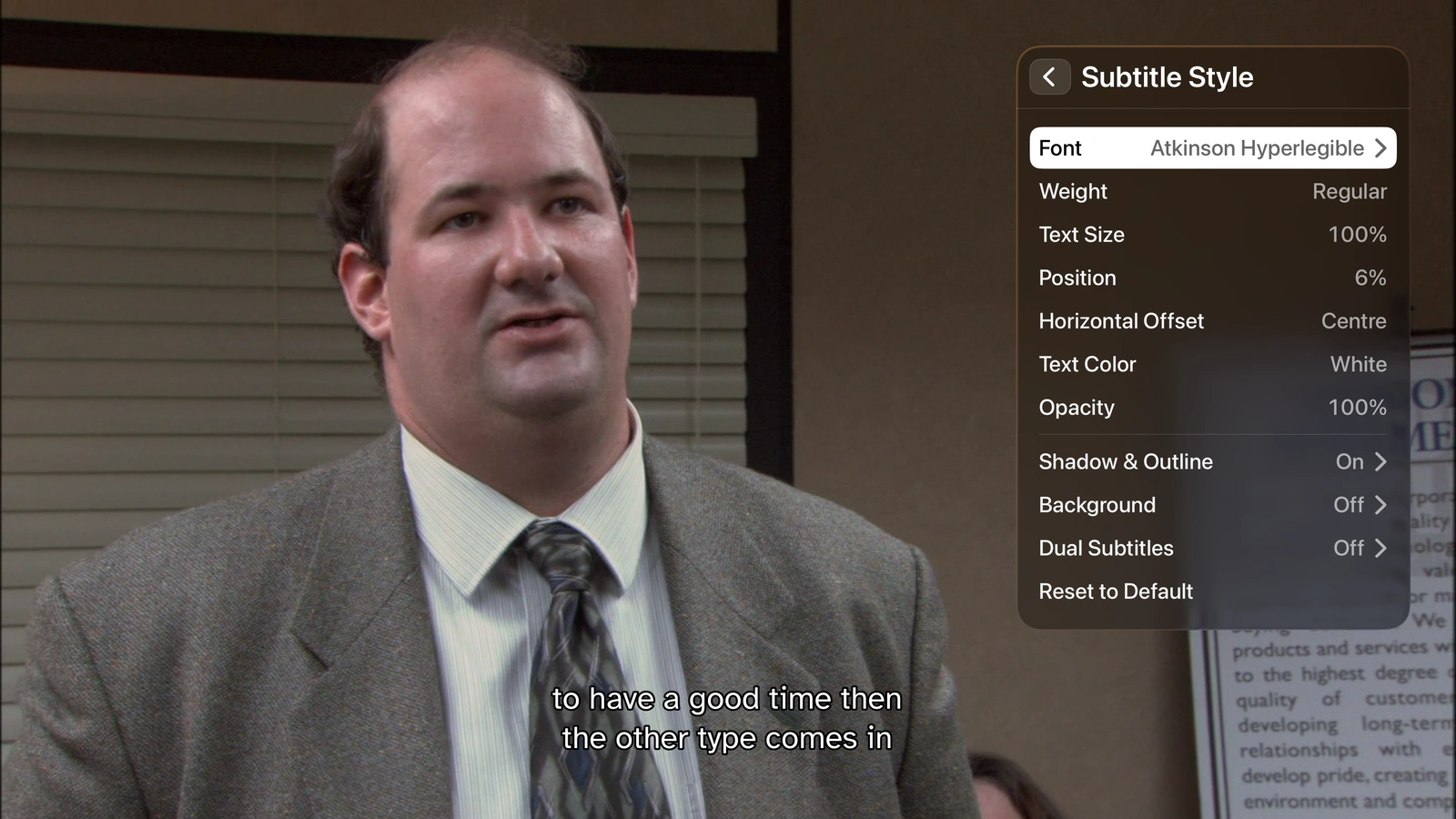
Choose a font, size, weight, colour, background, shadow and HDR brightness from the player. Adjust position in 0.5% steps and decide whether extra lines grow above, around or below it. You can display two subtitle tracks at once.
What if the subtitle is missing?
- Text and image subtitlesSRT, ASS, SSA, WebVTT, PGS and more
- Local sidecarsRead alongside files on network shares
- Two languagesTwo simultaneous tracks, not a language toggle
- Direct accessSubtitles keep their own player button
Search, download and load one without leaving the player, where your server supports it. Jellyfin and Emby can identify a file match; Silo uses its native file-scoped subtitle search. Availability depends on the server’s configured subtitle sources.
Does it skip intros?
- OffNever touch it
- OnShow a Skip button
- Auto (delay)Skip after five seconds, cancellable
- Auto (instant)Gone before you notice
Works wherever your server provides intro and credit markers.
Can I fit more on screen?
Card size, spacing and columns all move together. Every profile remembers its own.
Will it spoil the next episode?
Episode 4
Hidden until you’ve watched it
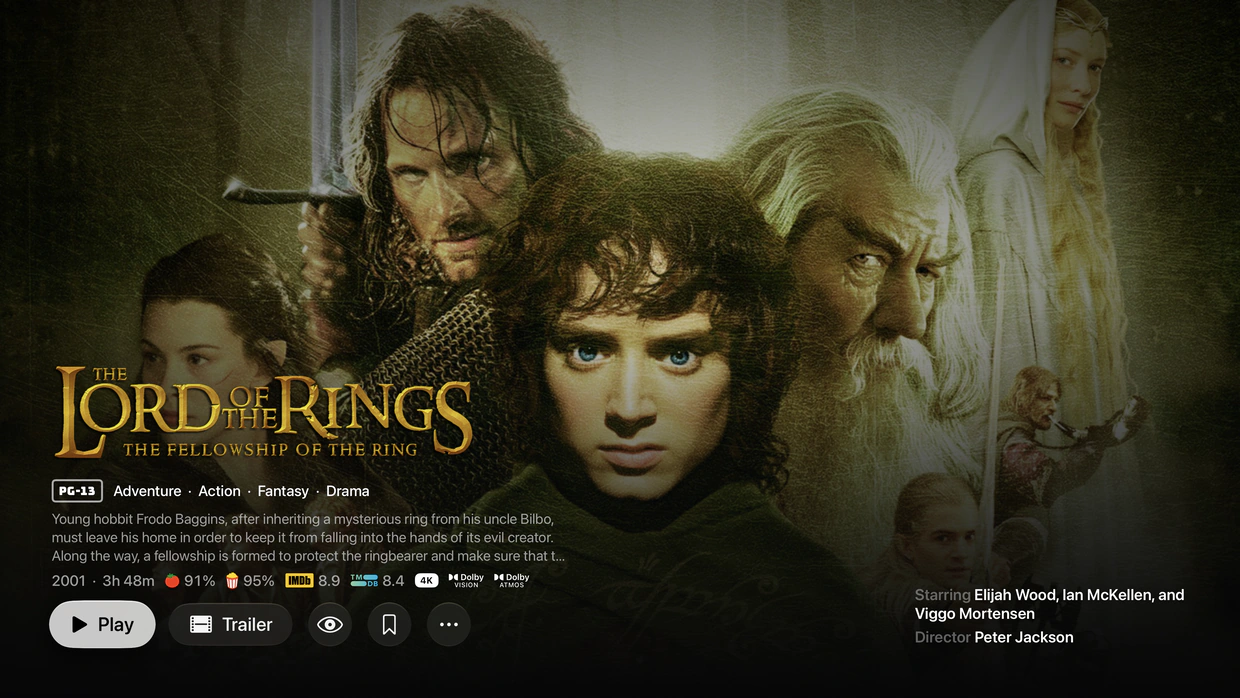
Hide unwatched episode artwork with blur or show art, and mask episode titles and descriptions. Continue Watching has its own artwork styles. Ratings can stay hidden until you finish; in-progress episodes can keep their thumbnails.
Can I watch on a plane?
- DownloadsOn iPhone and iPad
- Picture in PictureKeep video visible while using another app
- AirPlayRoute picker in the player
- Background audioOptionally keep listening when the screen locks
Save films and episodes on iPhone or iPad, including through Silo’s native download support. Completed downloads play without a server connection. Download quality is separate from streaming quality, and server capabilities still apply.
Can I find things across my servers?
- Jump to a letterName-sorted individual and combined managed libraries on every platform
- Apple TVA letter rail with native focus; deep Silo and combined jumps load on demand and can be cancelled
- CollectionsBrowse Plex, Jellyfin and Emby collections
- Continue WatchingNo app-imposed cutoff; server limits and your removals still apply
- Watched stateMark an episode, a season or everything up to an episode
Combine libraries from Jellyfin, Plex, Emby, Silo and network shares, or keep separate rows. Choose the servers and libraries each Plozz profile sees. Optional cross-server history sync is off until you enable it.
What else can I watch or listen to?
- MusicPlex, Jellyfin and Emby albums and artists, queues, a mini-player and background listening
- Live TVYour IPTV playlists, authorized Plex/Jellyfin/Emby channels and scheduled library channels
- WatchlistOne list across your devices, with connected tracker and server sync
- ExtrasSpecial features and bonus videos from Plex, Jellyfin, Emby and network shares
- Personal videosBrowse your own files without movie or TV matching
Movies and shows aren’t the only things in a home library. Available content and actions depend on the connected source, rather than every provider having an identical feature set.
Can I bring my own TV channels?
- One guideSearch, categories, favorites and recently watched channels
- MultiviewWatch multiple channels together
- Server sourcesPlex, Jellyfin and Emby; no native Silo or share channel source
- Standalone IPTVNo media-server account needed for your own playlist
Live TV runs on Apple TV, iPhone and iPad, and is marked Experimental on Apple TV. Add your own M3U playlist and optional XMLTV guide, connect authorized server channels, or schedule channels from your library. Plozz doesn’t provide public channels.
What if I don’t have it yet?
- Missing seasonsRequest individual seasons without requesting the whole show again
- Request statusPending, processing and failures remain visible
- DetailsTrailers, cast, release information and related titles where available
- TrackersTrakt, AniList, MyAnimeList, Simkl and Last.fm, for their supported media types
Search beyond your library and request titles through Seerr. Each Plozz profile can link to a user on that Seerr server. Requests keep that user’s identity and permissions.
Which ratings do I see?
- Review scoresProvider-dependent; optional OMDb enrichment needs your key
- AnimeAniList community scores
- Recommended ageCommon Sense Media on Plex movie and show details only
- SpoilersOptionally hide scores until you’ve watched
Choose review-score sources, their order and how many appear. Plex Common Sense Media ages are a separate setting, not another review score. Topic guidance requires an eligible active Plex user with Plex Pass access.
Same library. Different screens.
Apple TV
Remote-focused navigation, Top Shelf, a library letter rail and configurable sidebar or top-bar layouts.
iPhone and iPad
Offline downloads, movie/episode streaming quality, Picture in Picture, AirPlay and optional background video audio.
Every platform
Native playback, version selection, dual subtitles, profiles, watchlists and combined libraries.
Make it yours
Light, dark and black themes, layout density, navigation order, Home rows and hero settings.
Circadian mode
Warm and dim the interface around sunrise and sunset or on your own schedule.
Device setup
iCloud sync carries non-secret profiles, settings and server descriptors. Approved device setup can transfer eligible logins; Silo pairs separately.
What are you doing with my data?
- Usage analyticsNone in the app
- Crash reportsOff until you turn them on
- AccountsThere’s no Plozz account to make
- PriceFree, and the source is on GitHub
There’s no Plozz account or usage analytics. Crash reporting is optional. Your chosen servers, metadata services and trackers handle the requests needed for the features you use.